
The Design of Mobile Network-Based Guide System and Personalized Service Model
7
0
0
全文
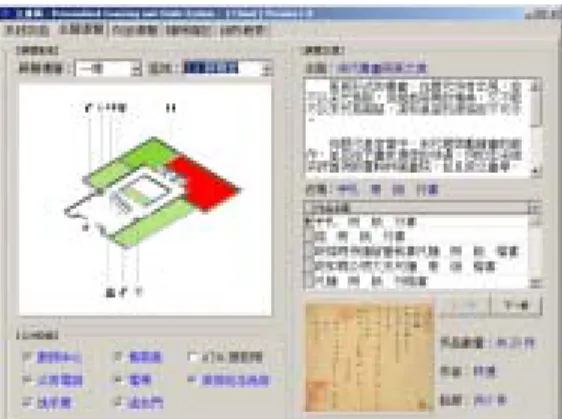
(2) Museum can use to access information about the exhibition, create tailored tours of the museum, and access interactive services. The system consists of a Tablet PC equipped with 802.11 wireless networking capabilities. We chose the Tatung Tablet PC Tangy 910. It combines the wireless network that provides a maximum bandwidth of 2 Mbps at the time of deployment. Association rule is one of the commonly considered techniques in data mining and is usually used in the basket data [1,2,5]. An example of such a rule might be that 98% of customers that purchase tires and auto accessories also get automotive services done. Finding all such rules is valuable for cross-marketing and attached mailing applications. Other applications include catalog design, add-on sales, store layout, and customer segmentation based on buying patterns. The databases involved in these applications are very large. It is imperative; therefore, to have fast algorithms for this task. In order to provide the users personalized services [13] at back-end system, we use data mining algorithm to find the large itemset. From the large itemset we can find the association rules to recommend the exhibits. By this way, we can ensure the users to view their favorite exhibits in the limited time.. II. Purpose of the Proposed System We implement an application instance, which combines Tablet PC characteristic with our intelligent retrieval model to provide the user a relation-based search interface such that the user can use “clicking and selecting” method to search the information. Furthermore, our system provides the interactive learning environment between users and guide system under the wireless LANs. In other word, the guide system not only accepts the user’s search query to find the target but also receives the information from users. Under such a design concept the contents of our system will keep on improving. Besides, the guide interface can be divided into the passive mode and active mode [6]. The passive mode is similar to the traditional guide system that provides the search interface for users and they can easily find the target through “selection topics and showroom” method. The other is the active mode that allows users to take notes about the exhibits during their tour and the system can automatically save and show other users’ notes. The overall architecture of the proposed system is shown in Fig. 1. The back-end guide mechanism of the Tablet PC is the intelligent retrieval model. By way of this mechanism, users can select either the active mode or passive mode to retrieve information through the Tablet PC. The Tablet PC has a large memory and display screen. It differs from the general handheld device like PDA or Smart Phone. So, we store all kinds of information about museum in Tablet PC and server such that end users can query information in short time. Administrators can maintain or add information in server side easily. When users start the guide system, it will check the client and server database consistency automatically and download the new information through the wireless network to Tablet PC. Since our back-end database can store the notes that a user recorded during tour in the museum, the guide system provides an upload function to the remote server so that the users can share their notes. Our system administrator can judge the correctness of uploaded data and decide whether to update the database or not. This is another goal of our system to achieve the interaction learning function. So our system provides the mutual interaction that allows users to download the interesting images from remote server as well as to upload information to remote server to improve the contents of database [12].. Information model The guide system relies on a geographic model that includes data such as museum’s infrastructure and an associated set of exhibition information about the museum. The geographic model supports functionality such as route guidance and provides information about specific physical locations [7]. User can select floor and area in the museum to visit on the guide system. The users compare the area map between guide system and physical locations that can explicitly know where their places are. The area map also provides the locations of infrastructure in this floor that user can find the elevator, public telephone, emergency exit or toilet easily. Tablet PC User Interface Selecting Exhibitions’ Area and Guiding One of the guide’s main tasks is to assist the users exploring the museum space. As Fig. 2 shows, users can select floor and area in the museum and the system will display the detail map under items that they choose. The bottom side of the screen displays the exhibition’s infrastructure for each floor. The top right hand side of the screen shows the information of the exhibit’s topic and list. Users can understand which topic to visit and how many exhibits in this area. In order to make users easily find out. III. System Implementation The guide system provides an electronic handheld guide that visitors to Taipei Fine Arts. -2-.
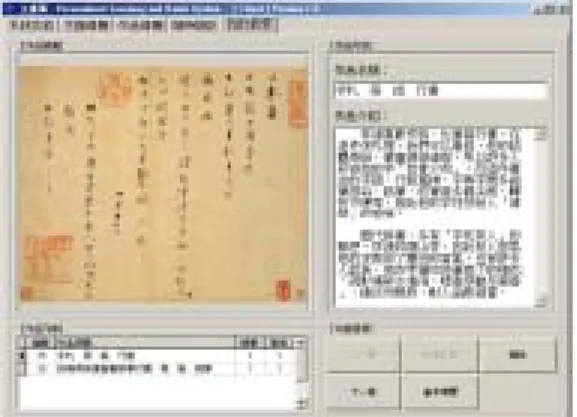
(3) the exhibit and view the exhibit guide, the system lists the exhibits by the topic names and the corresponding numbers. The bottom of right hand side of the screen displays the exhibit’s reduced picture and related information. When the user selects the exhibition area, the system will get the related exhibits information at the same time. We can click the reduced picture at the bottom of the screen to browse these exhibits. In Fig. 3, when the users click the exhibit’s reduced picture, the system will switch to the user guide screen and present the information about the exhibit that has been selected by the users. The information includes the exhibit’s image, the introduction of author, and the recommended exhibits. The functions of the guide for exhibits are situated at the left hand side of the screen. Users can click the button of “Show Picture” to view the exhibit through the screen as shown in Fig. 4. On the center of the screen, there are the introductions of the exhibit and the author’s information described in text. Users can understand the meaning of the exhibit and view the image by pressing the buttons of “Basic Guide” and “Show Picture” on the left hand side of the screen. The right hand side of the screen shows three exhibits’ pictures relative to the main exhibit that the user has selected. These related exhibits are generated by the association rules that are derived from the data mining of back-end database. The system displays the relationship and the support value under each recommended exhibit’s picture. The user can click the recommended exhibit’s picture to further explore the contents. For instance, a user can view one of the exhibitions in the museum and explore four more exhibits in this area. Then the system will store the area number and those four exhibits’ numbers in the back-end database. The system accomplishes data mining task after the museum is closed and generate the new association rules. For example, after taking a look at the exhibit A the user continues to look at the exhibit B, the rule should be A→B. Finally, the next time the guide system starts, the system will automatically update the rules base before a user starts to guide. The functionality of the exhibit also includes a special button of “Recommend Exhibit”. This function recommends to other users what they like or are interested in. The back-end database will decide the most popular exhibits and recommend them to the users. Notes at Anytime In addition to the mentioned basic functions, our guide system also provides the learning and information exchange function as shown in Fig. 5. When the users have special ideas or. impressions for any exhibit, they can use the designed notes function and draw the ideas or comments on the canvas. This function is different from the traditional handheld devices. Users need not to input the text through keyboard. Instead, a writing panel of Tablet PC can help record or draw down all the messages easily. Besides, we can press the button “Load Exhibit” to download the exhibit’s picture into the canvas that has provided “Label,” “Copy,” and “Paste” to assist the users to reserve part of the picture. Users can compare between picture and recorded contents. The notes can be saved with the picture into the JPEG format. When a user finishes his/her guiding, he/she can send the notes to the e-mail through wireless network. This is a profile package function. Furthermore, the guide system also provides notes that integrate the upload and download function as shown in Fig. 6 and Fig. 7. If a user wants to share his/her plentiful notes with other users, he/she can upload the notes through wireless network to the back-end server. Administrators/experts will check the notes that have been uploaded from the users. If the contents are valuable for learning during the guide, administrators/experts can decide to accept them and save them into the database. The saved notes will in turn used for other users during the next guiding. And the system displays the notes stored by the server terminal that has the most relevancy as well as is able to facilitate the navigating activities by the users. The displays will be listed based on the frequency of past viewing records. Back-end System Interface Create Back-end Database The system back-end database is divided into four major functions which consist of topic information management, education activities, author information management, and exhibits information management. Each function has close relationship with other functions. Verifying the Notes The back-end system needs to provide an interface to sieve out the notes in the database. After the administrators reviewing and accepting the uploaded notes, the database will update the guide system as shown in Fig. 8. The left hand side of the screen displays the maintenance functions for notes. First, the administrators need to load the database into the system and the system will show all of the notes sieved out at the bottom of the screen. Administrators know how many data should be sieved out in database and they can get the notes information from the function “Information” which shows the notes’ information including the date, file name, file size, and related exhibitions. The right hand side. -3-.
(4) users to fill out the questionnaires at the exhibition’s end when they return the tour guide system. Users can choose either the complete questionnaires, which typically take 5 minutes, or a shorter version if they have less time. We analyze the results from 60 respondents (30 short version and 30 complete version).. of the screen displays the contents of the notes. If the administrators think the notes are efficacy for learning on guide system, they can press the button “Accept” to save the related information and notes files into the database. Users can share and download these notes during the next guiding. On the other hand, if the administrators disapprove the notes, they can press the button “Delete” to cancel the related information and notes files. Data Mining Take the exhibition 1A of the first floor for example. We can see the content of database on the left hand side of the screen as shown in Fig. 9. The data recorded from the users’ browsing the tour guide is listed as a column of itemset. The browsing number represents the number of exhibits being browsed in the database. The column displays the process for each large itemset of the mining task. Then we can set the threshold of the minimum support and minimum confidence to create the association rules through data mining. Finally, the system can use the mining results to recommend the related exhibits on the front-end interface of the tour guide system. System Connection Log The system log is divided into two parts. On the top of the screen, we record the information updated in the database in the client side. The system will check the database in the client side and compare with the server side database. If two databases are identical, the client system will update the database and automatically download the related files as shown in Fig. 10. The bottom of the screen displays the users uploaded information of notes. The back-end database also records the information of related topics and area.. Results of short version The short version questionnaires focus on the pleasure and usability. Among the 30 short version respondents, 86% assessed the guide system as usable, and 84% assessed it as enjoyable. For 70% of the users, the guide system was both enjoyable and useful. The enjoyment was related to the user’s age, with people ages between 18 and 24 enjoying the tool most. We found no correlation between enjoyment and occupation. The free comment section offers interesting insight into what users perceived as the guide’s shortcomings: 30% of respondents said that they would prefer a more informative guide system. This highlights the need for layering the available information based on user preferences and needs. What most users caring about all the usability problems were due to the fact that Tablet PC is too heavy to carry at all time and some users worried about the battery losing power before the exhibit ended.. IV. Evaluation and Analysis User acceptance We evaluate our interface through the users’ survey that contains two kinds of questionnaires: a 15-question complete version and a five-question short version. We also held an interview session and observed the users’ interactions with the guide system. After recording the users’ reactions and comments, we encourage them to “think and loud.” Our goals are to qualitatively analyze the users’ acceptance in the authentic use conditions, verify the experimental framework, and gather information for future design. Questionnaires Both the complete version and short version questionnaires contain multiple choices, fill-in answers, and a free comment section. We ask. -4-. Results of complete version The complete version questionnaires covered the ease of use, enjoyment, general usefulness, and value. When asked about the ease of use, 6% said that the device was very simple to use, 67% said that it was simple, 24% said that it was not immediately usable, and 3% said that it was difficult to use. Most users used the guide system without any help. For enjoyment, 17% said that it was high, 33% said that it was sufficient, 40% said that it was average, and 10% of respondents found no enjoyment at all. Most respondents (74%) found the guide system useful, while 26% did not. People in the museum or exhibition commonly fear that users will find such tools distracting. However, in our study this was true for only 27% of users. 7% of users found that the guide’s image contents should be magnified and more video and audio information should be added to the system [9]. Our analysis found the relationship between some of the survey’s items in the complete version. Enjoyment is strongly correlated with usefulness, highlighting the users’ desire for a visit that combines education with entertainment. Enjoyment is also related to quality of contents and technology. This suggests the importance of joining knowledge with taste and an understanding of human psychology.
(5) when developing the mobile guide system. Besides, we provided the interesting functions in our tour guide system. For the recommendation function, 67% said it was useful in guiding. For notes function, 60% said it was helpful for learning in the middle of guiding. And 70% users said the package function was useful, because they can keep their notes without difficulty. In our study, most users explore the contents based on their own interests. So they should enjoy these functions when they first use the guide system. The experiment of knowledge acquisition Most users view a trip to a museum or exhibition as an informal and unstructured activity that offers education, entertainment, leisure, and so on. Quantitatively evaluating such an activity as a whole is difficult. However, visiting lets tourists directly learn from experiencing the subject – be it a painting or an octopus. And thus knowledge acquisition is one of the tourist’s most relevant aspects. Our analysis was important to evaluate how the use of such a guide system impacts the users behavior. Among our findings were: Using the guide system tends to make the users more attentive but also lonelier. Audio and video information is less invasive, so users enjoy using them more than images and texts. In general, few users read the stationary panel tests, and those who do typically read them only in part. Our observations and experiences about the design can support the plan for expanding the guide system to be used in the museums and exhibitions. Future systems might, for instance, provide more contents and the interaction modalities, along with intelligent decision support and location-aware services [4].. cellular location-awareness techniques that combine with fixed position of GPS technique. And we will improve the performance of data mining algorithm for personalized service. Finally, we will look for suitable contents for particular domain for learning and guide system for indoor teaching.. Acknowledgment This work is supported by National Science Council, Taiwan, R.O.C. under Grants NSC91-2213-E-036-026, NSC91-2516-S-036-001, and by Tatung University under Grant B91-I01-024.. References [1]. R. Agrawal, T. Imielinski, and A. Swami, “Mining association rules between sets of items in large databases,” Proc. of the ACM SIGMOD Int. Conf. on Management of Data, pp.207-216, Washington, D.C., May 1993. [2] R. Agrawal and R. Srikant, “Fast algorithms for mining association rules in large databases,” Proc. 20th Int. Conf. Very Large Data Bases, pp.478-499, Sept. 1994. [3] F. Bellotti, R. Berta, and M. Margarone, “User testing a hypermedia tour guide,” IEEE Pervasive Computing, vol. 1, issue 2, pp.33-41, June 2002. [4] M. Bauer and K. Rothermel, “Towards the observation of spatial events in distributed location-aware systems,” 22nd Int. Conf. on Distributed Computing Systems Workshops, pp.581-582, 2002. [5] C.-C. Chan and W.-H. Au, “Mining fuzzy association rules,” Proc. of the 6th Int. Conf. on Information and Knowledge Management, pp.209-215, January 1997. [6] Y.-W. Chen, H.-R. Peng and C.-S. Hsu, “Implementation of a native information management system for guided learning with PDA/GPS,” IASTED Conf., July 2003. [7] N. Davies, K. Cheverst, K. Mitchell, and A. Efrat, “Using and determining location in a context-sensitive tour guide,” Computer, vol. 34, issue 8, pp.35-41, Aug. 2001. [8] F. George, “From desktop to palmtop: creating usable online documents for wireless and handheld devices,” Proc. of IEEE Int. Professional Communication Conf., pp.1-11, Dec 2001. [9] R.C. Gonzalez and R.E. Woods, Digital Image Processing, Addison-Wesley, Upper Saddle River, New Jersey, U.S.A. 1992. [10] J. Han and M. Kamber, Data Mining: Concepts and Techniques, Morgan. V. Conclusion In this paper we proposed a self-guide development system for the particular domain that combined the wireless networking and data mining with association rules from the database to fulfill the personalized service. The iterative information construction can motive users to construct the information that they are interested in and record the information for future reuse. Besides, users can learn something from the information easily and download the extra information from the back-end database. There are interesting and useful functions in our learning and guide system. Our future works include specifying a unified interface to develop different kinds of application models and the adoption of the. -5-.
(6) [11]. [12]. [13]. [14]. [15]. Kaufmann Publishers, San Francisco, CA, 2001. T.-P. Hong, C.-S. Kuo, and S.-C. Chi, “A fuzzy data mining algorithm for quantitative values,” 3rd Int. Conf. on Knowledge-Based Intelligent Information Engineering Systems, pp.480-483, 1999. S. Poslad, H. Laamanen, R. Malaka, A. Nick, P. Buckle, and A. Zipl, “Creation of user-friendly mobile services personalized for tourism,” Second Int. Conf. on 3G Mobile Communication Technologies, pp.28-32, 2001. H.-H. Sung, “Helping online customers decide through web personalization,” IEEE Intelligent Systems, vol. 17, issue 6, pp.34-43, Nov. 2002. T. Yoshino, T. Muta, and J. Munemori, “NAMBA: Location-aware collaboration system for shopping and meeting,” IEEE Trans. on Consumer Electronics, vol. 48, issue 3, pp.470-477, Aug. 2002. T. Zimmerman, S. Ihde, K. Aalders, S. Wright, M. Wirth, and S. Hopkirk, “Travel card: airport self-check in using a wireless PDA,” Intelligent Transportation Systems, pp.1224-1228, 2001.. Fig. 3. The guide system of exhibition’s topic.. Fig. 4. The guide system of exhibition’s information.. Fig. 1. The guide system architecture.. Fig. 5. The reduced picture of exhibition.. Fig. 2. The main menu of the guide system.. Fig. 6. The functions of notes module. -6-.
(7) Fig. 7. The upload function for notes.. Fig. 9. The favorite function of the guide system. Fig. 8. The download function for notes.. Fig. 10. The maintenance function of data mining.. -7-.
(8)
數據
相關文件
The Secondary Education Curriculum Guide (SECG) is prepared by the Curriculum Development Council (CDC) to advise secondary schools on how to sustain the Learning to
During early childhood, developing proficiency in the mother-tongue is of primary importance. Cantonese is most Hong Kong children’s mother-tongue and should also be the medium
Hope theory: A member of the positive psychology family. Lopez (Eds.), Handbook of positive
The temperature angular power spectrum of the primary CMB from Planck, showing a precise measurement of seven acoustic peaks, that are well fit by a simple six-parameter
This kind of algorithm has also been a powerful tool for solving many other optimization problems, including symmetric cone complementarity problems [15, 16, 20–22], symmetric
專案執 行團隊
Microphone and 600 ohm line conduits shall be mechanically and electrically connected to receptacle boxes and electrically grounded to the audio system ground point.. Lines in
– Each listener may respond to a different kind of event or multiple listeners might may respond to event, or multiple listeners might may respond to
